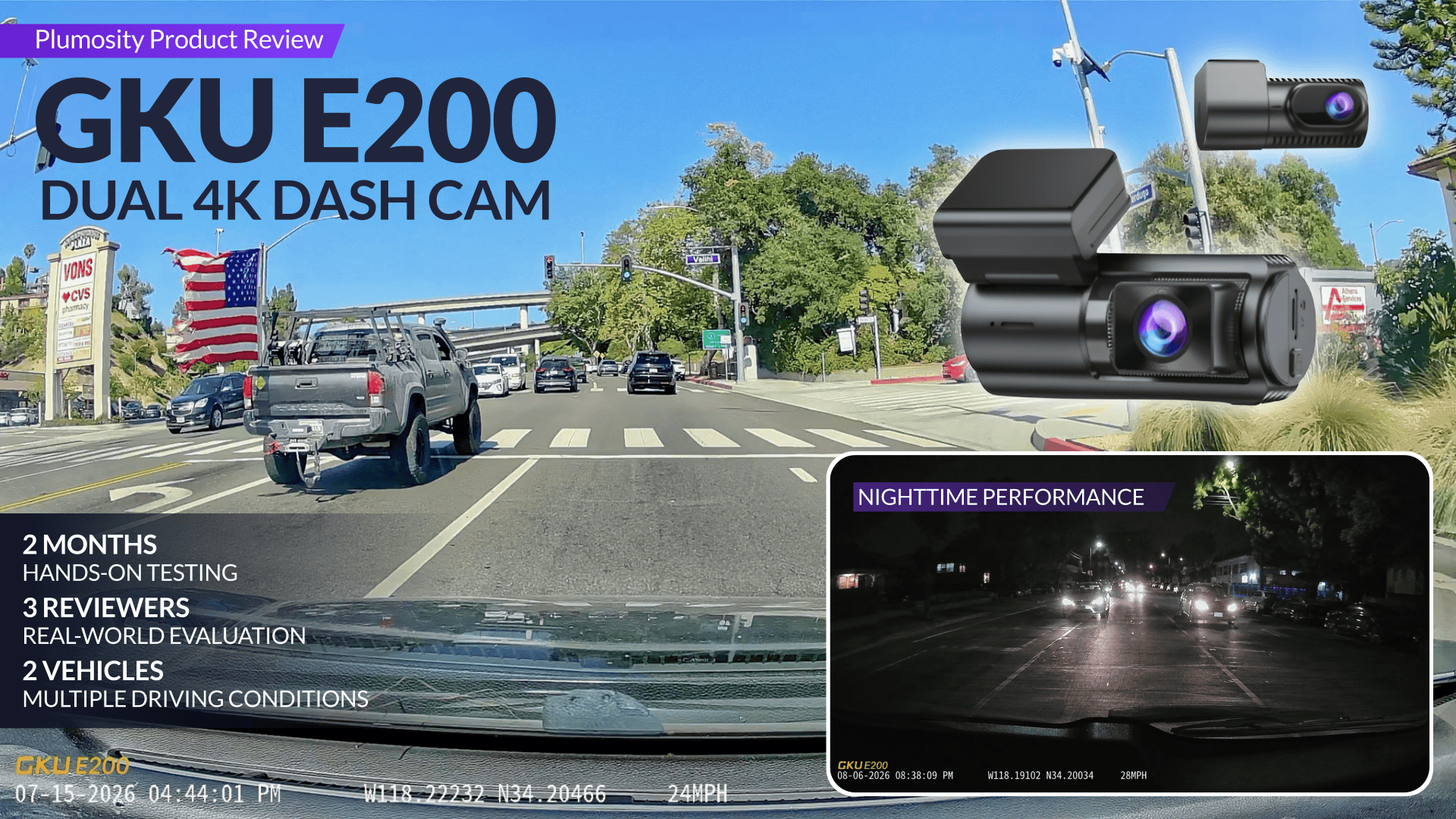
About this Product Review
Plumosity’s Product Review Team tested the GKU E200 over two months across two vehicles and three reviewers, evaluating everything from installation and everyday reliability to front-and-rear video quality, app usability, GPS, parking features, and the overall ownership experience.
Our central question was simple:
When it matters most, can you depend on the GKU E200 to capture the evidence you need?
This review walks through our hands-on testing, real-world performance, ownership experience, scoring methodology, and overall verdict.
Want the short version? Jump to our Quick Verdict. Want the complete testing and analysis? Jump to the full hands-on review.
Quick Verdict: GKU E200 4K+4K Dash Cam
Plumosity Rating: 4.6 / 5
Excellent
The GKU E200 consistently delivered dependable evidence, reliable recording, and a low-maintenance ownership experience. Installation and remote connectivity are its primary compromises.
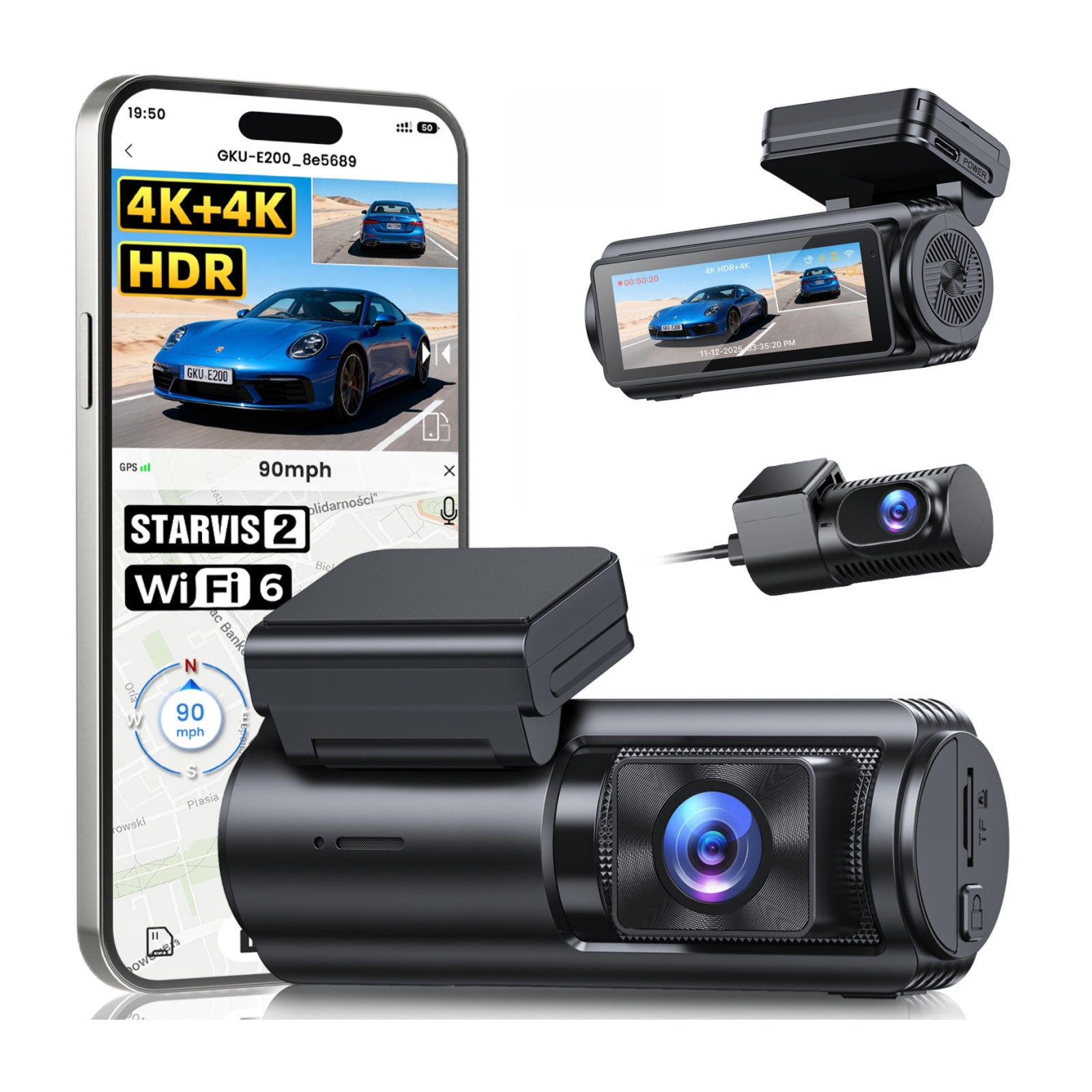
After two months of hands-on testing across two vehicles and three reviewers, the GKU E200 proved to be a dependable dual-channel dash cam that consistently captured clear, usable evidence through excellent front- and rear-camera performance, strong nighttime recording, and reliable day-to-day operation.
Once installed, the camera required very little day-to-day attention. It automatically began recording shortly after vehicle startup, the app was easy to use, GPS provided valuable location and speed context, and the Plumosity Product Review Team encountered no crashes, recording failures, false emergency recordings, or heat-related issues during testing.
Installation and remote access were the E200's primary compromises. Most of the installation effort involved routing the rear camera cable and securing it with the included low-quality adhesive clips. The front camera mounted easily, and the system recorded its first drive within 15 minutes of opening the box (excluding the optional hardwire kit). Installing GKU's separately sold hardwire kit was easier than expected; the roughly 20-minute process was spent mostly identifying the correct fuse connections rather than connecting the wires.
Key takeaways from our testing:
- ✔️ Excellent evidence quality: Sharp front- and rear-camera footage with consistently readable license plates under normal driving conditions.
- 🌙 Strong nighttime performance: Clear low-light footage with generally readable license plates and only occasional mild headlight glare.
- 📲 Low-maintenance ownership: Automatic recording, an intuitive app, reliable Wi-Fi, easy footage retrieval, and useful GPS integration made the dash cam easy to live with.
- ⚠️ Biggest drawback: Rear-camera cable routing and weak adhesive cable clips made installation frustrating.
- ☁️ Remote access is unavailable: The phone must be near the powered camera and connected to its local Wi-Fi network to review or download footage.
Exclusive Plumosity Offer
Save $20 on the GKU E200
If your priority is dependable footage quality when it matters most, the GKU E200 is an excellent value.
$20 OFF ORDERS OVER $120
Use code at checkout
Exclusive Plumosity promo code. Minimum order requirement applies.
What Makes a Good Dash Cam?
The best dash cam isn't simply the one with the highest advertised resolution. It's the one that captures, preserves, and makes important footage easy to retrieve when you need it most.
Ownership extends far beyond video resolution. Installation, cable routing, startup reliability, app usability, footage retrieval, storage management, heat management, and long-term dependability determine whether a dash cam delivers reliable footage when it matters most.
Marketing materials often emphasize resolution, field of view, image sensors, and long feature lists. Those specifications matter, but only if they help produce clear, dependable recordings. A good dash cam reduces uncertainty by giving drivers confidence they'll have usable evidence if a collision, hit-and-run, parking-lot scrape, brake check, or disputed incident occurs.
That's why Plumosity evaluated the GKU E200 using ten practical criteria:
- Daytime Video Quality: Footage should preserve road context, vehicle movement, signs, lane position, and license plates whenever conditions reasonably allow.
- Night & Difficult-Lighting Performance: Headlights, tunnels, shadows, streetlights, rain, and dark roads should not render footage unusable.
- Front & Rear Coverage: Both cameras should provide meaningful coverage from complementary viewpoints.
- Recording Reliability: The camera should start automatically, record continuously, and avoid crashes, disconnects, or missing footage.
- Footage Preservation: Loop recording, emergency locking, G-sensor activation, and parking-event recording should protect important clips from being overwritten.
- Retrieval & Sharing: Important footage should be easy to locate, download, preserve, and share.
- Installation Practicality: Mounting, cable routing, and hardwiring should be manageable without unnecessary frustration or damage.
- Heat & Mounting Stability: The camera should remain securely mounted and continue operating reliably in the demanding environment of a vehicle interior.
- Everyday Ownership: Once installed, the camera should require little day-to-day attention while remaining dependable.
- Overall Value: The complete ownership experience—including performance, reliability, included accessories, and optional add-ons—should justify the total cost.
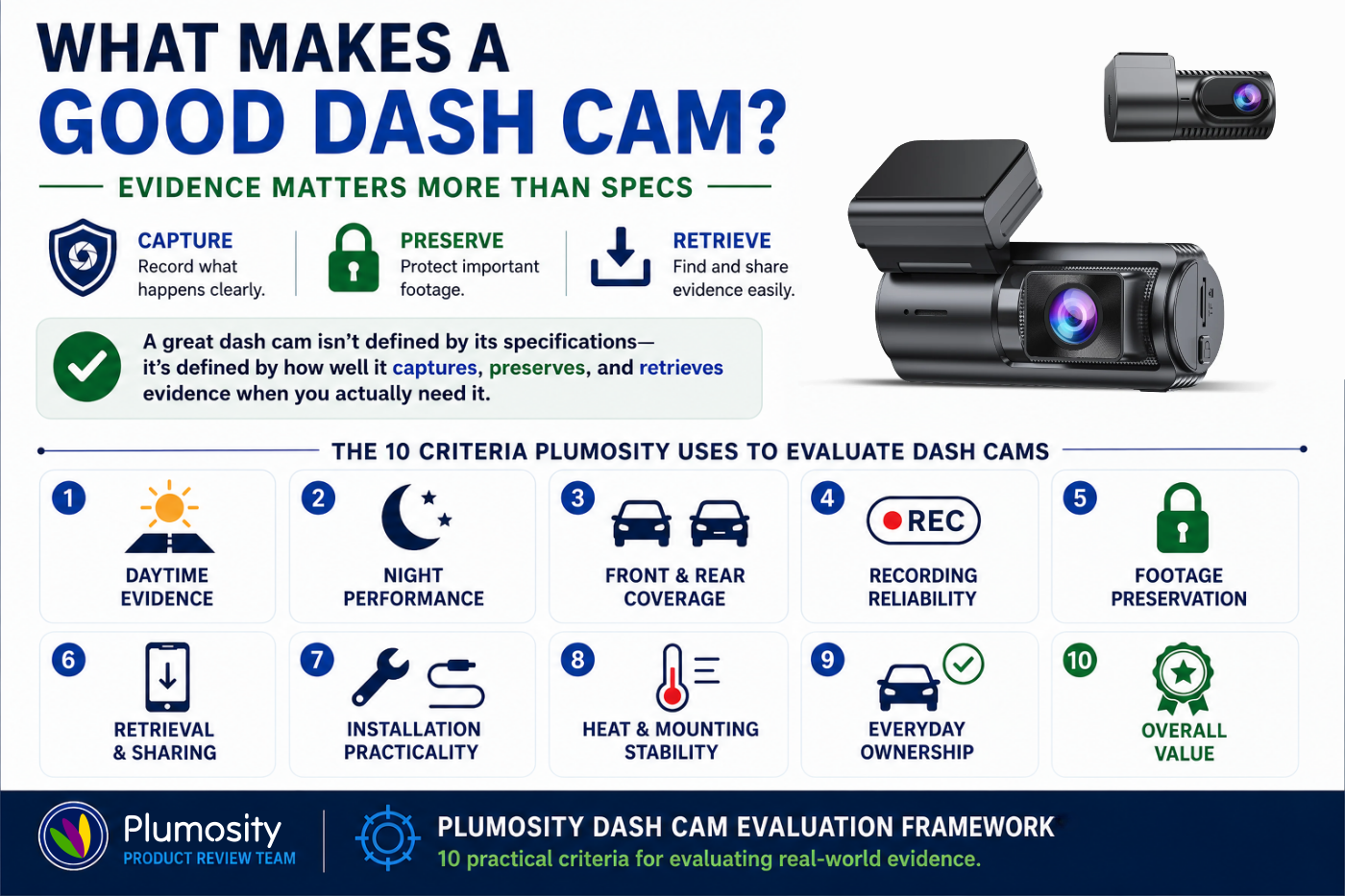
These criteria separate impressive specifications from dependable real-world recording performance. Rather than judging the GKU E200 by its feature list alone, the Plumosity Product Review Team evaluated how well it reduced uncertainty and delivered reliable performance in everyday driving.
About GKU
GKU is a consumer electronics brand specializing in dash cams designed to make accident documentation more accessible to everyday drivers. Its product lineup emphasizes app-connected recording systems, front-and-rear camera options, GPS integration, and parking surveillance to help capture, preserve, and review driving footage.
GKU is a value-focused manufacturer that pairs modern dash cam technology with approachable pricing. Rather than competing on premium branding, it focuses on practical features and usability for drivers seeking dependable evidence without paying flagship prices.

Product Overview: Specifications & Features
A specifications-focused overview of the GKU E200 before the hands-on findings.
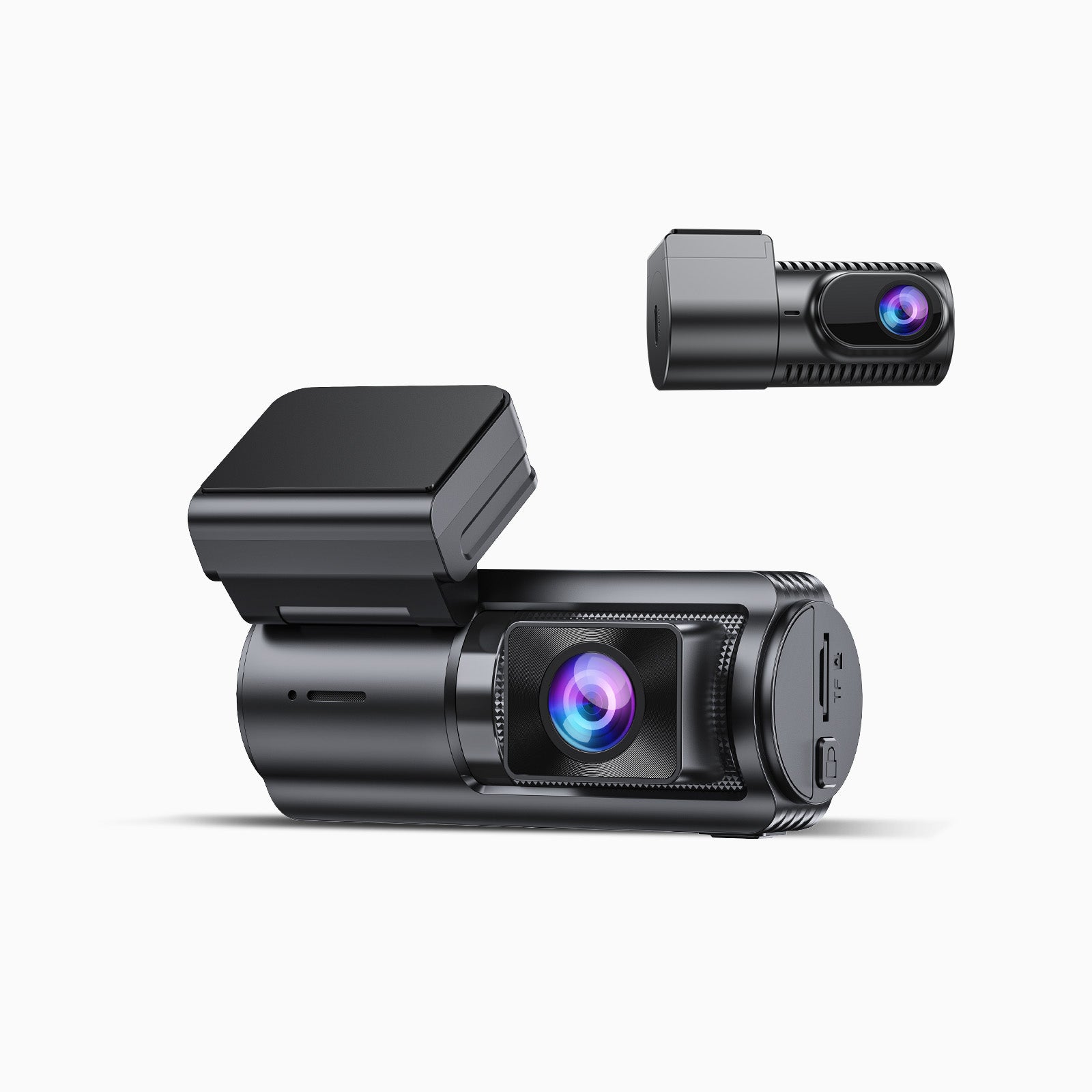
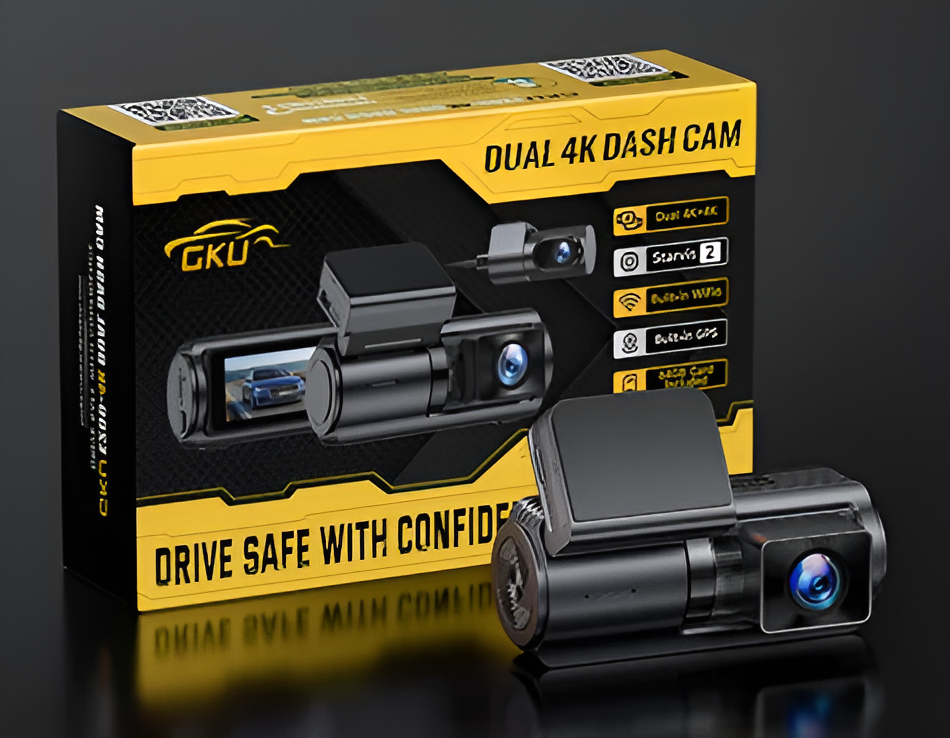
The GKU E200 is a dual-channel front-and-rear dash cam designed to capture, preserve, and retrieve driving evidence. Its published specifications and key technologies are summarized below.
Published Specifications
| GKU E200 Published Specifications | |
|---|---|
| Product | GKU E200 4K+4K Dash Cam |
| Camera Type | Dual-channel dash cam |
| Recording | Marketed as 4K+4K front-and-rear recording |
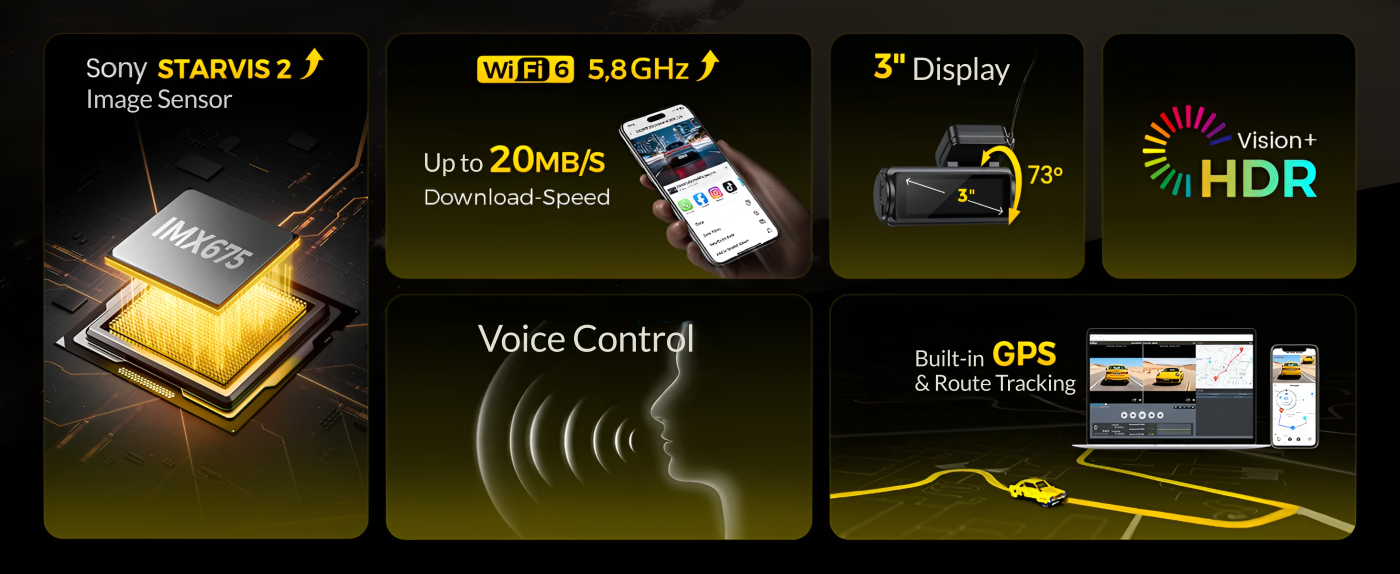
| Image Sensor | Sony STARVIS 2; product materials identify the IMX675 sensor |
| Field of View | 170° front; 150° rear (according to product materials) |
| Lens Aperture | f/1.5 front; f/1.8 rear (according to product materials) |
| Night Processing | HDR / WDR |
| Wi-Fi | Dual-band 2.4GHz / 5.8GHz |
| App | GKU GO (iOS & Android) |
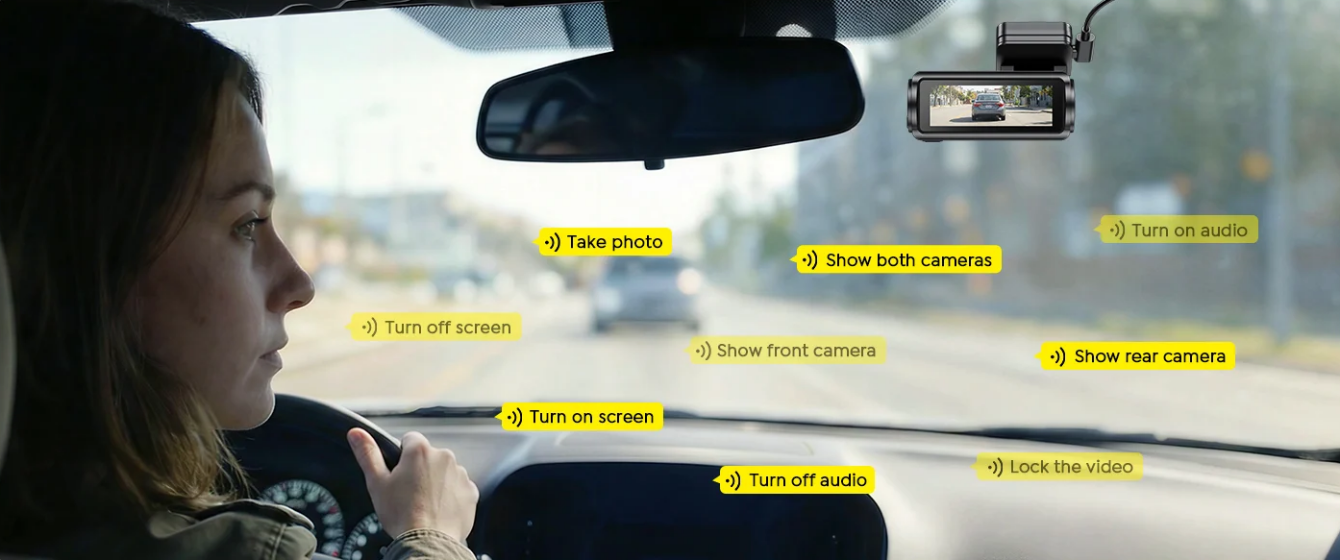
| GPS | Built-in GPS with route and speed data |
| Display | 2.99-inch IPS display (according to product materials) |
| Included Storage | 128GB microSD card included with the reviewed package; retail versions are available with or without a microSD card |
| Supported Storage | Up to 512GB (according to product materials) |
| Loop Recording | Yes |
| G-Sensor | Emergency file locking after detected impacts or sudden movement |
| Parking Mode | 24-hour parking mode with GKU's separately sold USB-C hardwire kit |
| Power | USB-C, DC 5V / 3A (according to product materials) |
| Warranty | 1-year standard warranty; extendable to 2 years after registration (according to product materials) |
Published specifications should be confirmed against the current retailer listing and product manual, as bundles and regional configurations may vary.
Key Features
- 🎥 Dual Front and Rear Recording: Captures events ahead of and behind the vehicle.
- 🌙 Sony STARVIS 2 Imaging: Improves low-light sensitivity and nighttime detail.
- 💡 HDR/WDR Processing: Helps balance headlights, shadows, tunnels, and changing exposure.
- 📡 Dual-Band Wi-Fi: Connects the camera directly to the GKU GO app for playback, settings, and downloads.
- 🛰️ Built-In GPS: Records route, location, and speed context.
- 🛡️ G-Sensor Event Locking: Designed to protect emergency footage from loop-recording overwrite.
- 🅿️ Parking Mode: Supports 24-hour parking surveillance when paired with GKU's separately sold USB-C hardwire kit.
- 🎙️ Voice Control: Supports preset hands-free commands, including “Take Photo.”
Unboxing & First Impressions
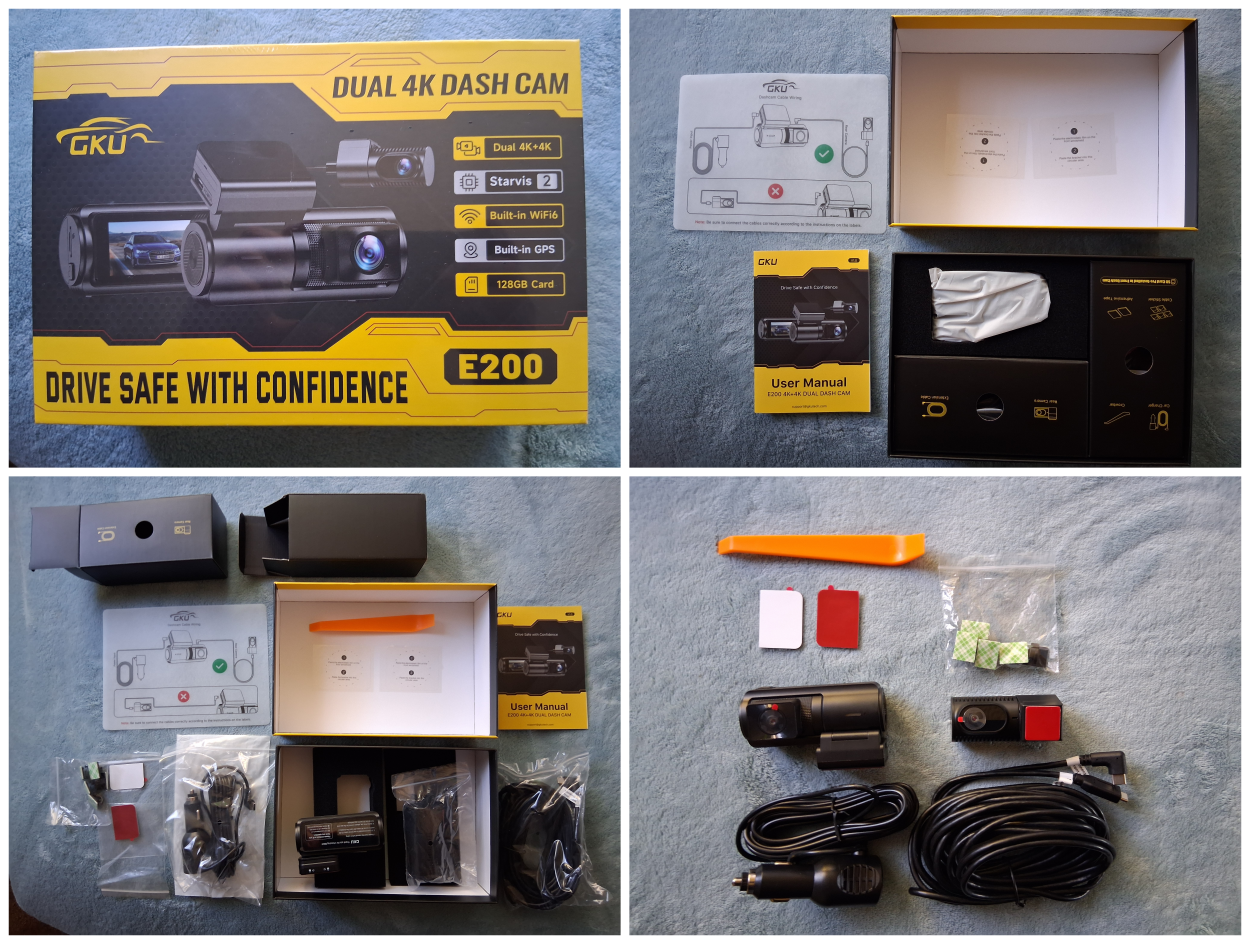
The GKU E200 arrived well packaged, with all components neatly organized and protected inside the box.
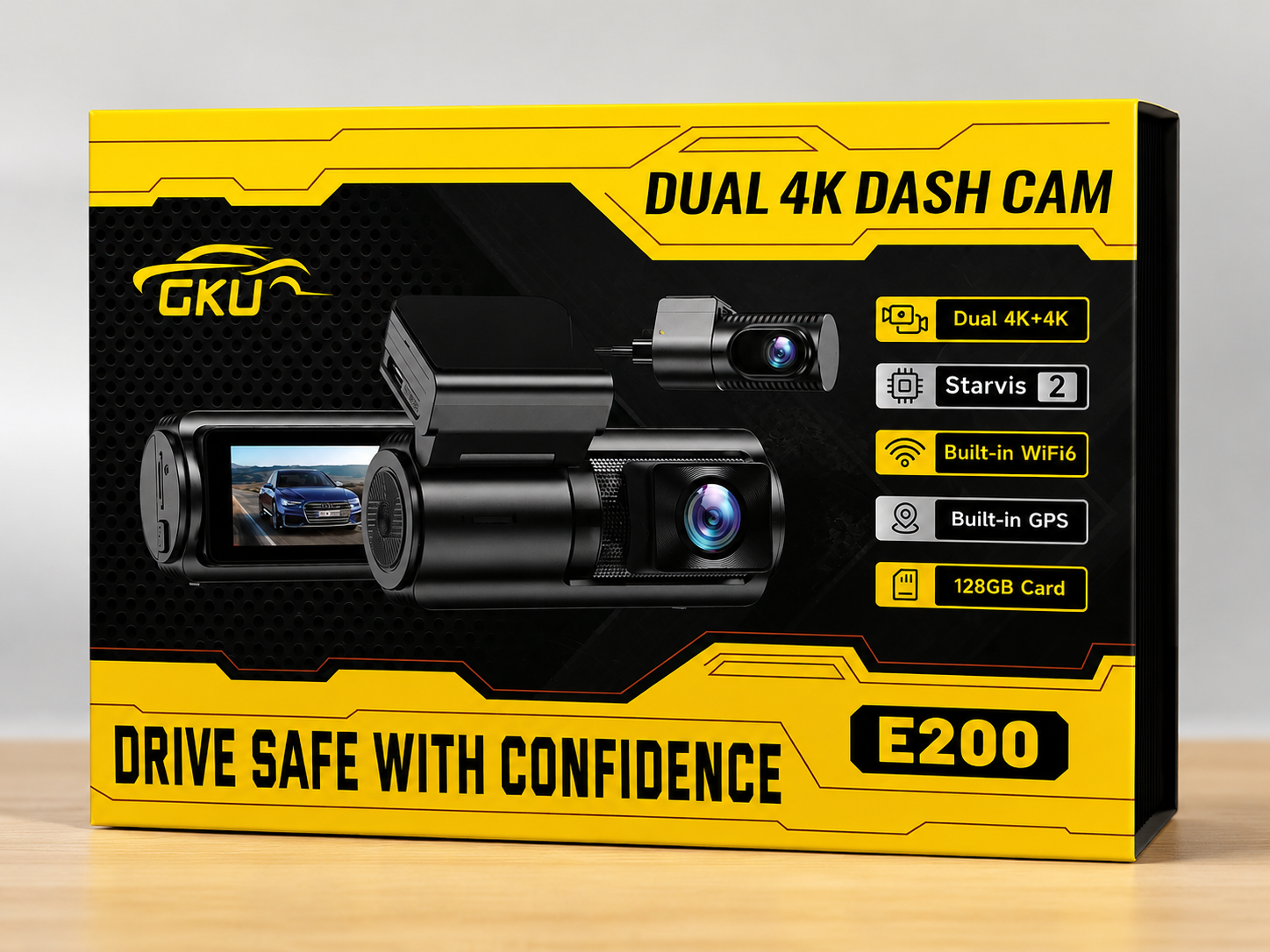
The review unit arrived in good condition with no signs of shipping damage. The retail packaging was attractive and professional, and everything inside remained well protected during transit. The hardware, accessories, and documentation were neatly organized, making it easy to verify that all expected components were included before installation began.
What's included:
- Front dash cam (128GB microSD card preinstalled)
- Rear camera
- Rear-camera cable
- 12V vehicle power adapter
- Electrostatic mounting films
- Replacement adhesive pads (x2)
- Adhesive cable clips (x5)
- Trim crowbar tool
- User manual and quick installation guide
Plumosity’s Hands-On Product Review
Our complete evaluation of the GKU E200 after two months of hands-on testing across two vehicles and three reviewers, focused on how reliably it captures, preserves, and retrieves recorded footage.
Throughout testing, the Plumosity Product Review Team evaluated the dual-channel dash cam with one central question in mind:
When it matters most, can you depend on the GKU E200 to capture the evidence you need?
Our testing focused on:
- Installation: Front and rear mounting, cable routing, adhesive quality, and overall installation practicality.
- Startup & Reliability: Startup time, automatic recording, crashes, disconnects, and missing footage.
- Daytime Video Quality: Front and rear detail, license-plate readability, color accuracy, motion handling, and road context.
- Night & Difficult-Lighting Performance: Low-light detail, glare control, license-plate readability, tunnels, and front-to-rear consistency.
- App & Footage Management: App pairing, Wi-Fi reliability, playback, GPS integration, clip organization, downloads, and sharing.
- Event Features: Voice control, parking-mode support, G-sensor behavior, and false emergency recordings.
- Everyday Use: Heat management, mounting stability, storage management, and day-to-day usability.
Installation & Cable Management
- Front installation: Quick, straightforward, and secure.
- Rear installation: The most time-consuming and frustrating part of setup.
- Cable clips: Low-quality adhesive failed to hold the wiring securely.
- Mounting caution: Adhesive mounts can pull against older or weakened window tint.
- Parking mode: Full parking surveillance requires GKU's separately sold hardwire kit.
Installation was the E200's weakest area, though most of the challenge came from routing and mounting the rear camera. The front camera attached easily, pairing was straightforward, and the system recorded its first drive within 15 minutes of unboxing (excluding the optional hardwire kit). Installing GKU's separately sold hardwire kit was also easier than expected; most of the roughly 20-minute installation was spent identifying the correct fuse connections rather than connecting the wires.
Routing the rear-camera cable cleanly proved considerably more challenging. It was longer than necessary for the vehicles used during testing, leaving more excess wiring to manage and conceal. The included adhesive cable clips used low-quality adhesive that failed to hold the cable securely.
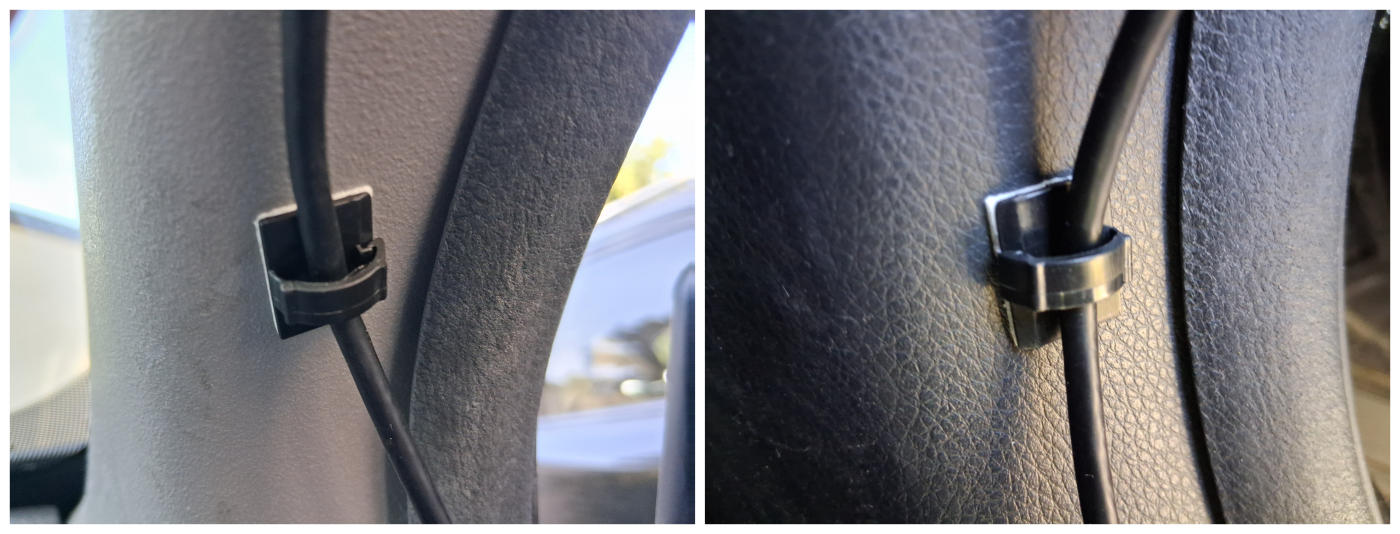
One reviewer accidentally pulled the rear camera loose while adjusting the cable, damaging a portion of the vehicle's rear-window tint. Another had difficulty securing the rear camera and ultimately relied on tucking the cable beneath the vehicle's existing trim to keep it in place. These issues were caused by the included mounting accessories rather than the camera itself, and higher-quality cable clips and additional adhesive pads would improve the installation experience.
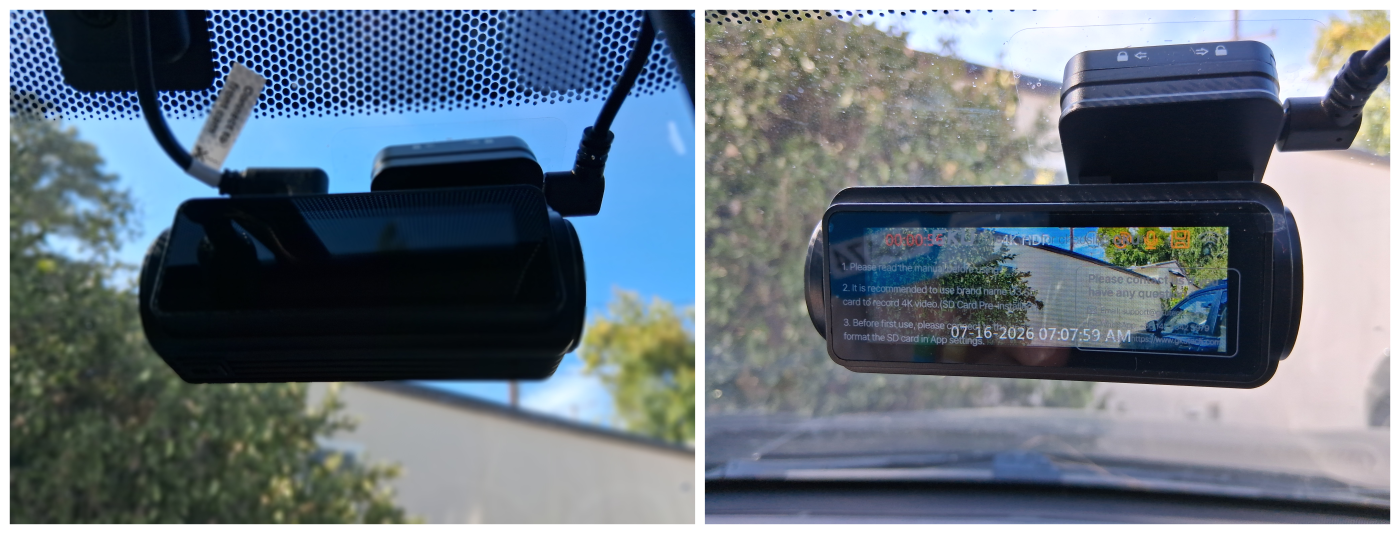
Once installed, however, both cameras remained securely mounted and looked clean and unobtrusive inside the vehicle. The front camera fit neatly behind the rearview mirror without obstructing the driver's view, while the rear camera blended naturally into the rear window.
Everyday Use & Reliability
- Automatic startup: Both cameras began recording without manual input.
- Observed delay: Recording typically began about 20 seconds after vehicle startup, with slight variation between starts.
- Automatic shutdown: Recording stopped when vehicle power was removed.
- Stable operation: No significant crashes, disconnects, or recording failures occurred.
- Low daily friction: Once installed, the system required very little attention.
The best dash cams disappear into the background, only drawing attention when they're needed. They should start automatically, record consistently, remain securely mounted, and require minimal attention. The GKU E200 did exactly that throughout testing.
Recording typically began about 20 seconds after starting the vehicle, with slight variation between individual startups. Both front and rear cameras started automatically without manual input, and recording stopped automatically when the vehicle was turned off.
Throughout testing, the Plumosity Product Review Team did not encounter unexplained crashes, frozen interfaces, missing recordings, SD-card corruption, or failures that interrupted everyday use. GPS, loop recording, Wi-Fi connectivity, and the app all functioned as expected.
Once the physical installation was complete, daily interaction was minimal. Reviewers quickly stopped noticing the cameras during normal driving. The compact front camera remained unobtrusive behind the rearview mirror, and there was little reason to interact with the system unless footage needed to be reviewed or settings adjusted.
Daytime Video Quality: Front and Rear
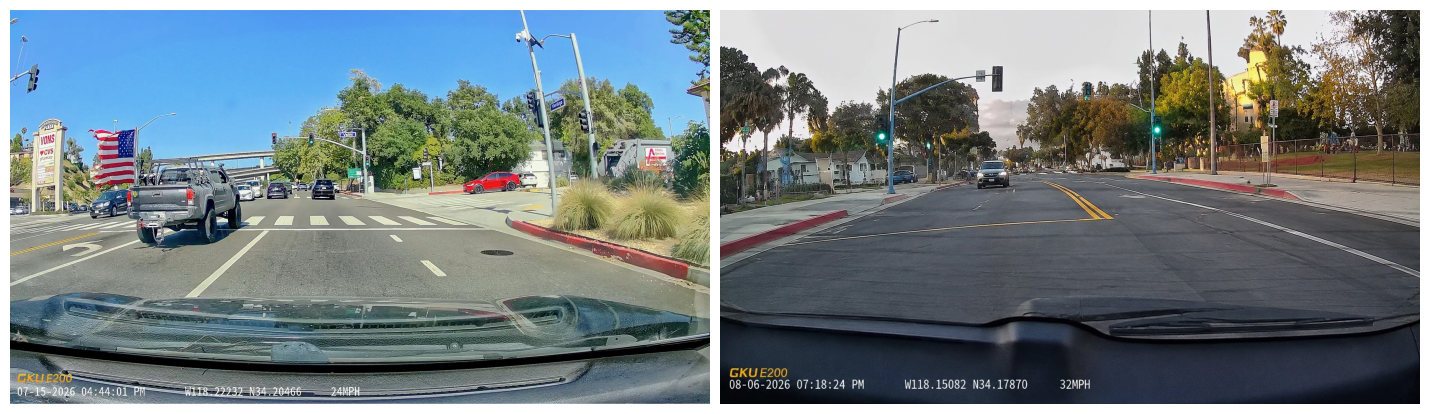
Daytime image quality was the E200’s strongest area. The front camera consistently produced sharp, detailed footage with natural colors and excellent overall clarity. License plates, road signs, lane markings, and surrounding vehicles were easy to distinguish under normal driving conditions.
Plate readability was also consistent during ordinary daytime use. As with any dash cam, extreme distance, high closing speeds, severe glare, rain, or an unfavorable angle could still reduce clarity, but those limitations did not significantly diminish the footage's usefulness.
The rear camera also performed well during daytime driving, although its performance was naturally more dependent on the vehicle. Rear-window tint, dirty glass, or debris noticeably reduced clarity. Keeping the rear window clean improved results, and the rear image was generally strongest in urban or suburban lighting rather than extremely dark environments.
Even when the rear footage appeared slightly softer, it still captured enough detail for accident documentation and insurance claims. Rather than serving as a token secondary camera, it provided meaningful rear coverage that complemented the front camera well.
Night & Difficult-Lighting Performance
- Front performance: Strong detail and useful plate readability under typical nighttime conditions.
- Rear performance: Good overall, but less clear than the front in the darkest conditions.
- Headlights: Mild glare was occasionally visible.
- Exposure: HDR/WDR generally preserved useful detail through tunnels and changing light.
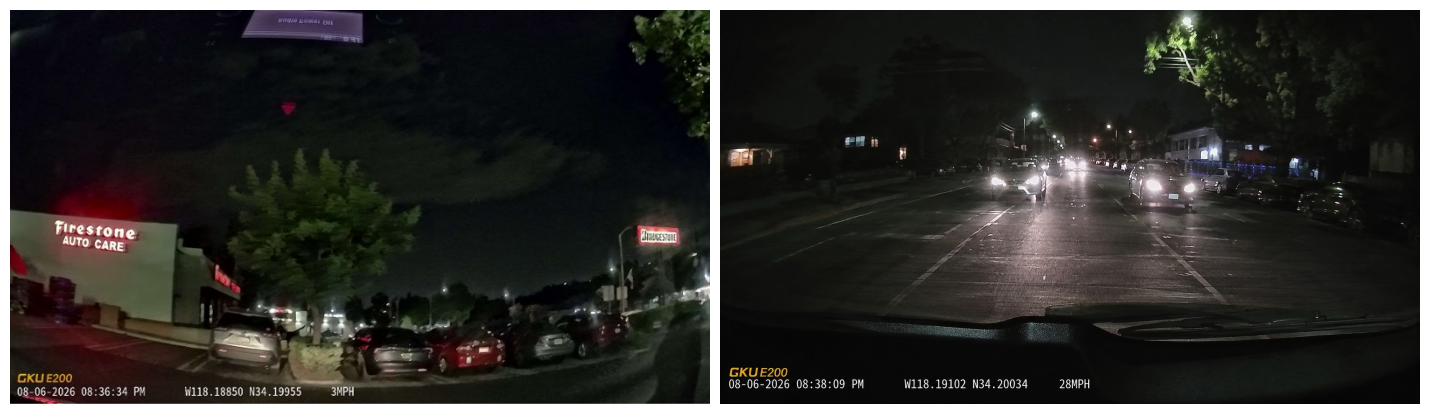
Night footage was not always as sharp as daytime footage, but it remained consistently usable. Vehicles, road conditions, lane markings, and license plates generally remained identifiable under typical nighttime driving conditions.
The front camera delivered the strongest low-light results. Sony STARVIS 2 imaging, the wider front aperture, and HDR/WDR processing combined to retain detail without allowing headlights or streetlights to overwhelm the image.
Bright headlights occasionally produced mild glare, but the team did not observe the kind of severe washout that would routinely make footage unusable. Tunnels and rapidly changing lighting were also handled well, with enough shadow and highlight detail preserved to understand the scene.
As during daytime testing, the rear camera remained more dependent on the vehicle. Rear-window tint, dirty glass, and debris all reduced low-light clarity, making the rear image strongest in well-lit urban and suburban environments.
While no dash cam completely overcomes the challenges of nighttime driving, the E200 consistently produced footage that should prove useful for documenting real-world incidents.
App, Wi-Fi, GPS & Playback
- Pairing: Took only a few minutes and required little technical knowledge.
- Wi-Fi reliability: Stable during local viewing and app use.
- App design: Basic but intuitive.
- Playback: Recorded clips were easy to locate and review once the correct segment was found.
- GPS: Useful location and route context, though vehicle speed updates occasionally lagged.
- Primary limitation: No remote or cloud access.
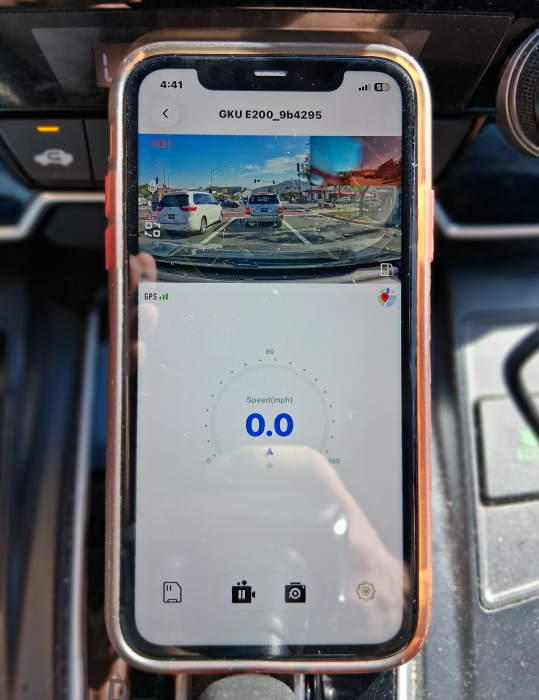
Capturing footage is only half the job. Drivers also need to be able to locate and review recordings quickly. The GKU GO app handled those tasks well.
Pairing took only a few minutes, and the app was easy to understand even for reviewers who had not previously used a dash cam app. Live view, recorded clips, settings, and playback controls were easy to locate.
Loop recording divided footage into multiple segments, so locating a specific moment occasionally required extra searching. Once the correct clip was found, playback was straightforward.
GPS location data appeared accurate throughout testing, but the reported vehicle speed showed a noticeable delay before updating. Even so, the recorded location and speed data can provide useful context when reconstructing an incident.
The most important limitation was the lack of remote access. The phone had to be within Wi-Fi range of the camera and connected to its local network. The E200 does not provide cloud access, so footage cannot be viewed remotely when the camera is out of Wi-Fi range or not powered, such as when the vehicle is parked without the optional hardwire kit. As a result, the camera cannot be used for remote monitoring if the vehicle is stolen or otherwise inaccessible.
Voice Control
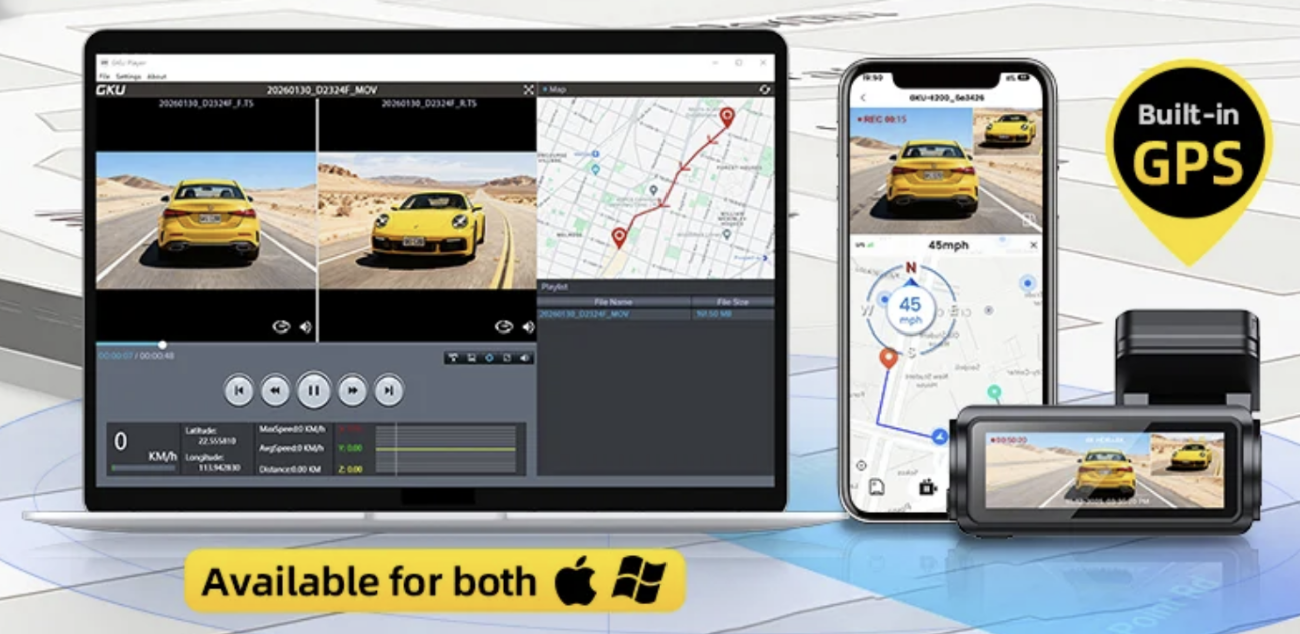
The GKU E200 supports nine built-in voice commands for functions such as taking a photo, locking the current recording, switching camera views, controlling audio recording, and turning the display on or off. During testing, the "Take Photo" command worked reliably whenever the camera was unmuted. However, the Plumosity Product Review Team did not use the full range of commands often enough under varied driving conditions to confidently evaluate long-term recognition reliability.
Even so, the team could easily see the value of hands-free voice control. Being able to save important footage, capture a photo, or adjust certain functions without taking a hand off the wheel has clear safety and convenience benefits, particularly during unexpected driving situations.
In everyday use, however, voice control simply did not become part of the team's normal routine. One reviewer preferred leaving the camera muted, and the app and physical controls were already quick and intuitive enough that voice commands rarely felt necessary. For most owners, voice control should be viewed as a useful convenience feature rather than a primary reason to choose the E200.
Parking & Event Protection
- Parking support: Available when connected to GKU's separately sold USB-C hardwire kit.
- Long-term parking testing: Limited during this review.
- Pre-recording: Could not be validated during a genuine collision.
- G-sensor locking: Could not be verified during a real impact.
- False recordings: None occurred during testing.
Parking protection is useful, but it requires continuous power. Full-time parking surveillance is not available through ordinary ignition-switched power alone. The E200 must be connected through a compatible hardwire kit to remain active while the vehicle is parked.
The team successfully installed GKU's optional USB-C hardwire kit and confirmed that parking mode functioned as expected during limited testing. However, because no qualifying parking events or impacts occurred during the review period, long-term performance and event capture could not be fully evaluated.
No collisions occurred during testing, so the team could not ethically claim to have verified pre-impact buffering or G-sensor file locking during a real accident. No false emergency recordings occurred.
Buyers who want 24-hour parking surveillance should factor in the cost of GKU's separately sold USB-C hardwire kit ($21.99 at the time of review) and whether they prefer to install it themselves or have it professionally installed.

Optional Accessory
GKU Type-C Dash Cam Hardwire Kit
Required to enable the GKU E200's full parking-monitoring features. The kit connects the dash cam to the vehicle's fuse box for continuous power when the engine is off.
Best for: Drivers who want 24-hour parking surveillance, including time-lapse recording, collision detection, and pre-recording support.
VIEW HARDWIRE KITStorage, File Handling & Sharing
Managing recorded footage required very little attention throughout testing. The reviewed package included a preinstalled 128GB microSD card, allowing recording to begin immediately without purchasing additional storage. GKU also offers a lower-priced version without a microSD card, so buyers should confirm which package they are purchasing before checkout.
The included 128GB card proved adequate for everyday driving during testing. Loop recording automatically managed available space by overwriting older unlocked files while preserving emergency recordings, so reviewers rarely needed to manage storage manually.
Dual high-resolution recording naturally produces large video files, making transfer speed an important part of the ownership experience. Short clips typically transferred within a few minutes, while longer recordings naturally took more time. Download speed depended primarily on clip length, local Wi-Fi conditions, and the receiving phone. Once transferred, footage was easy to save, export, and share through standard apps.

Drivers who want longer retention periods, frequent road-trip recording, or extended parking surveillance may benefit from a larger high-endurance microSD card. The E200 supports cards up to 512GB according to GKU's published specifications.
Heat, Mounting & Long-Term Reliability
- Operating temperature: The front camera became very warm to the touch during operation.
- Thermal stability: No shutdowns, recording failures, or performance issues occurred.
- Front mount: Remained secure throughout testing.
- Rear mount: Required more care and better cable support.
- Overall reliability: No significant hardware or recording concerns emerged.
The front camera became very warm to the touch during operation, but never to a level the Plumosity Product Review Team considered excessive. No heat-related shutdowns, missing footage, interface instability, or recording interruptions occurred during testing.
While testing covered a variety of driving conditions, it did not include prolonged operation during extreme summer heat. As a result, the team cannot fully characterize long-term thermal performance under the most demanding environmental conditions. Even so, the camera remained stable throughout testing with no evidence of heat-related performance issues.
The front camera remained securely mounted throughout testing. The rear installation required more care, but once the camera and cable were properly routed and secured, both remained in place during normal driving.
No significant hardware or recording reliability concerns emerged during the two-month review period. Aside from the lower-quality rear-camera mounting accessories discussed earlier, the E200 operated consistently throughout testing and gave the team no reason to question its overall reliability.
Scoring Breakdown: GKU E200 vs. Key Criteria
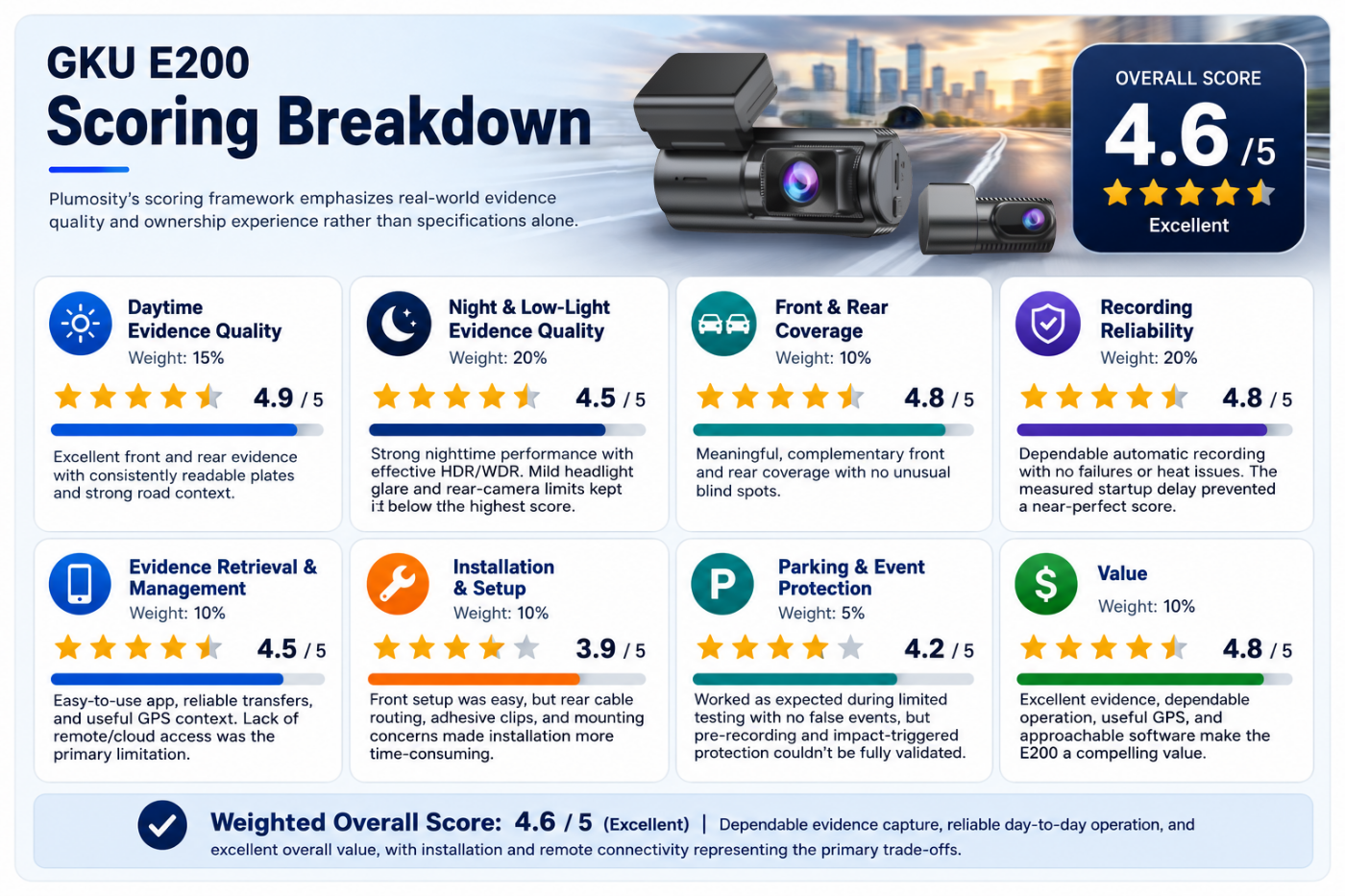
Plumosity's scoring framework emphasizes real-world recording performance and ownership experience rather than specifications alone. Categories are weighted according to their importance in daily use, placing greater emphasis on dependable recording and usable footage than on convenience features. Scores reflect the combined experiences of all three reviewers and explain both what the E200 did well and what limited its final rating.
| Review Criterion | Weight | Score | Why This Score? |
|---|---|---|---|
| Daytime Video Quality | 15% | 4.9 / 5 | Excellent front and rear video quality with consistently readable plates, natural color, and strong road context. Only the ordinary limitations of distance, speed, and lighting prevented a perfect score. |
| Night & Low-Light Video Quality | 20% | 4.5 / 5 | Strong nighttime footage with generally readable plates and effective HDR/WDR performance. Mild headlight glare and reduced rear-camera clarity under the most challenging conditions kept it from scoring higher. |
| Front & Rear Coverage | 10% | 4.8 / 5 | The front and rear cameras provided meaningful, complementary coverage with no unusual blind spots. Slightly softer rear footage under some conditions prevented a perfect score. |
| Recording Reliability | 20% | 4.8 / 5 | Automatic recording remained dependable with no crashes, recording failures, missing footage, or heat-related issues. The observed startup delay prevented a near-perfect score. |
| Footage Retrieval & Management | 10% | 4.5 / 5 | The app was easy to use, transfers were reliable, and GPS provided useful route and location context. The lack of remote or cloud access was the primary limitation. |
| Installation & Setup | 10% | 3.9 / 5 | Front installation, pairing, and setup were straightforward, but rear cable routing, weak adhesive clips, and mounting concerns made installation more time-consuming than expected. |
| Parking & Event Protection | 5% | 4.2 / 5 | Parking mode functioned as expected during limited testing and produced no false emergency recordings, but pre-recording and impact-triggered protection could not be fully validated without a real qualifying event. |
| Value | 10% | 4.8 / 5 | Excellent image quality, dependable operation, useful GPS, and approachable software make the E200 a compelling value. Installation compromises and the lack of remote access prevented a perfect score. |
| Weighted Overall Score | 100% | 4.6 / 5 | Dependable recording performance, reliable day-to-day operation, and excellent overall value, with installation and remote connectivity representing the primary trade-offs. |
GKU E200 vs. Common Dash Cam Alternatives
Here's how the E200 fits within the broader dash cam market.
| Dash Cam Type / Model Class | Best For | Strength | Trade-Off | Typical Price Position |
|---|---|---|---|---|
| GKU E200 | Drivers wanting strong front-and-rear evidence at a competitive price | Excellent front-and-rear evidence, strong night performance, GPS, and easy local app transfers | More involved rear installation, no cloud access, and a separate hardwire kit required for full parking mode | Value Mid-Range |
| Basic Front-Only Dash Cams | Drivers wanting simple, inexpensive recording | Easy installation and lower cost | No rear coverage and often weaker low-light performance | Budget |
| 4K Front / 1080p Rear Systems | Drivers wanting dual coverage at a lower total cost | Strong front evidence and adequate rear context | Rear footage often lacks the detail or clarity of the front camera | Budget–Mid-Range |
| Premium Garmin, Nextbase & Thinkware Class | Buyers prioritizing mature software, support, and brand history | More polished ecosystems, broader support, and established ownership history | Often significantly more expensive for comparable recording performance | Premium |
| Viofo / 70mai Performance Class | Enthusiasts comparing advanced settings and footage performance | Strong reputations, active communities, and broad model selection | More complex model selection, with premium configurations costing more | Mid-Range–Premium |
The E200's greatest strength is the value it delivers. It provided evidence quality and day-to-day reliability that exceeded expectations for its price class, particularly through its excellent front-and-rear image quality, strong nighttime performance, included storage, GPS, and intuitive app.
Premium brands may offer more polished software, deeper support ecosystems, cloud connectivity, or more mature parking features. Instead, the E200 prioritizes dependable recording performance and evidence quality. For many drivers, that's the right priority.
Value & Ownership Trade-Offs
The GKU E200 succeeds where a dash cam most needs to succeed: it records clear footage, remains reliable, and makes important clips easy to retrieve. The front camera delivered excellent image quality, the rear camera added meaningful coverage, nighttime performance was strong, and the app required very little learning.
The primary trade-offs involve installation and connectivity rather than recording quality. Cable management was the least polished part of the experience, the included cable clips could be stronger, the adhesive mount requires care around older or weakened window tint, and remote footage access is not available.
Parking mode also requires additional investment and installation. Buyers who want continuous parking surveillance should factor in the cost of GKU's separately sold USB-C hardwire kit. Because no qualifying parking impacts occurred during testing, some parking-event behaviors could not be fully validated under real-world conditions.
For drivers seeking dependable front-and-rear video evidence without paying premium-brand prices, the E200 offers excellent overall value.
Pros & Cons
Pros
- ✅ Excellent front-and-rear image quality with meaningful rear coverage
- ✅ Strong nighttime performance with good low-light detail
- ✅ Reliable automatic recording with no significant failures during testing
- ✅ Easy app pairing with reliable local Wi-Fi transfers and straightforward footage retrieval
- ✅ Built-in GPS adds useful route and location context
- ✅ Compact front camera remains unobtrusive behind the rearview mirror
- ✅ Excellent overall value
Cons
- ❌ Rear-camera cable routing is the most difficult part of installation
- ❌ Included adhesive cable clips failed to hold the wiring securely
- ❌ Adhesive mounting requires caution around older or weakened window tint
- ❌ No remote or cloud-based footage access
- ❌ App is relatively basic compared with premium alternatives
- ❌ Full-time parking mode requires a separately sold hardwire kit
Who Should—or Shouldn’t—Buy It
Based on Plumosity’s testing, the GKU E200 is best suited for drivers who prioritize dependable front-and-rear recording over premium software features or a completely hidden installation.
Best For
- ✔︎ New drivers and families who want a clear record of surrounding traffic
- ✔︎ Daily commuters seeking dependable accident documentation
- ✔︎ Drivers who want useful front-and-rear coverage
- ✔︎ Road-trippers and rideshare drivers who don't require an interior camera
- ✔︎ Buyers who care about nighttime footage and license-plate readability
- ✔︎ Value-focused shoppers comparing dual-channel systems
- ✔︎ Drivers comfortable routing a rear-camera cable or paying for installation
Not the Best Fit If...
- ✘ You want a completely wireless or factory-hidden installation
- ✘ You frequently move one dash cam between multiple vehicles
- ✘ You require cloud storage or remote footage access
- ✘ You want the most polished or feature-rich app ecosystem
- ✘ You want full parking surveillance without hardwiring
- ✘ You prefer a legacy dash cam brand with deeper long-term support history
Final Verdict
The GKU E200 earned a Plumosity Rating of 4.6 / 5 — Excellent after two months of hands-on testing. It consistently delivered excellent image quality, readable license plates, strong nighttime performance, and dependable day-to-day operation.
Verdict at a Glance
- Overall Rating: 4.6 / 5 — Excellent
- Greatest Strength: Dependable front-and-rear recording with excellent image quality.
- Biggest Drawback: Rear-camera installation and the lack of remote or cloud access.
- Best For: Drivers seeking reliable everyday recording and strong overall value.
Throughout testing, the Plumosity Product Review Team asked one central question: Could the GKU E200 be trusted to capture what drivers would need when it mattered most? Based on the team's experience, the answer is yes. The footage consistently documented vehicle position, surrounding traffic, and driver behavior, while the app made recordings easy to locate, download, and share.
The E200's greatest strength is its dependable recording performance. Both cameras consistently produced useful footage for everyday driving and accident documentation. Although rear-image quality was influenced more by vehicle-specific factors such as window tint and glass cleanliness, it remained highly capable throughout testing. Reliable recording, built-in GPS, and dependable local Wi-Fi transfers further strengthened the overall ownership experience.
Installation and connectivity prevented the E200 from earning a higher score. Routing the rear camera cable was more frustrating than expected, the included adhesive cable clips need improvement, and extra care is advisable when mounting to older or delicate window tint. In addition, footage can only be accessed while connected to the camera's local Wi-Fi network, as remote and cloud access are not available.
Those trade-offs do not outweigh the product's strengths. Once installed, the GKU E200 proved dependable, easy to live with, and highly capable of delivering the performance drivers expect from a modern dual-channel dash cam.
Plumosity Review:
GKU E200 Dual 4K Dash Cam
Plumosity Rating: 4.6 / 5
Excellent
Exclusive Plumosity Offer
Save $20 on the GKU E200
The GKU E200 delivers excellent front-and-rear image quality, strong nighttime performance, reliable recording, and an intuitive app at a competitive price.
$20 OFF ORDERS OVER $120
Use code at checkout
Exclusive Plumosity promo code. Minimum order requirement applies.
Buying Guide: Price, Warranty & Accessories
What to know before buying the GKU E200, including pricing, storage options, warranty registration, and recommended accessories.
Price
At the time of publication, the GKU E200 retailed for $199.99 with the included 128GB microSD card or $169.99 without a microSD card. At those prices, the E200 competes as a strong value-to-mid-range dual-channel dash cam, particularly when the bundled storage is included.
Prices can change over time due to promotions, retailer discounts, regional availability, and bundle variations. Before purchasing, confirm the current price, included accessories, available promotions, and whether the listing includes both cameras and a microSD card.
Exclusive Plumosity Offers
Save on GKU Dash Cams
Choose the highest-value promo code your order qualifies for.
$10 OFF
Orders over $60
$15 OFF
Orders over $100
$20 OFF
Orders over $120
$35 OFF
Orders over $250
Enter the applicable promo code at checkout. Minimum order requirements apply.
Warranty
GKU lists a one-year standard warranty that may be extendable to two years after registration. Buyers should confirm the registration deadline, regional terms, and whether the chosen retailer qualifies as an authorized sales channel.
Storage
The package reviewed by Plumosity included a 128GB microSD card. GKU currently sells both a 128GB SD Card Included version and a No SD Card Included version of the E200. Before purchasing, confirm which variant you're buying so you'll know whether you need to supply your own high-endurance microSD card.
Drivers who want longer retention windows should consider a compatible high-endurance card with greater capacity. Confirm supported card sizes and formatting requirements before upgrading.
Parking Mode Accessories
The GKU E200 supports 24-hour parking mode, but enabling the feature requires GKU's separately sold USB-C hardwire kit. Buyers who want continuous parking surveillance should factor the additional cost into the total purchase price and decide whether they are comfortable working with the vehicle's fuse box.
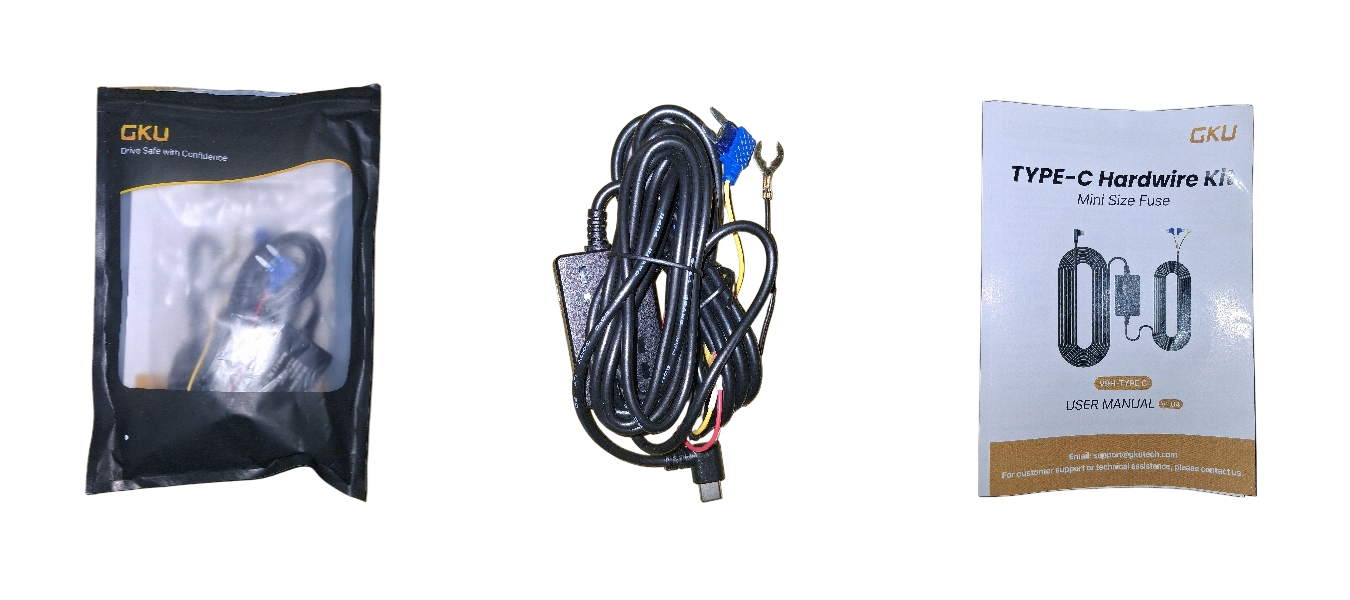
Professional installation may be worthwhile for owners who want hidden wiring, drive a newer vehicle, have complex interior trim, or simply prefer not to install a hardwire kit themselves.
Recommended Accessories
- Higher-quality adhesive cable clips: Improve cable retention and reduce the likelihood of the rear-camera wiring coming loose.
- Replacement adhesive pads: Helpful if either camera needs to be repositioned during installation.
- High-endurance microSD card: Worth considering for longer recording retention or extensive use of parking mode.
- Professional hardwire installation: Worth considering if you want 24-hour parking mode without working directly with the vehicle's fuse box.
Conclusion
The GKU E200 is built around a simple goal: helping drivers preserve useful evidence when something happens on the road. Its dual-channel recording system combines clear imaging, GPS, and practical recording features to document the details that matter after an incident.
After two months of hands-on testing across two vehicles and three reviewers, the Plumosity Product Review Team found that the E200 consistently delivered. Both cameras produced clear, usable footage in daytime and nighttime driving, GPS added valuable context, and the app made recordings easy to review, download, and share. Rear-camera quality depended more on vehicle-specific factors such as window tint and glass cleanliness than on the camera itself.
The E200 is not without compromises. Rear-camera cable routing required patience, the included adhesive cable clips could be higher quality, remote and cloud access are unavailable, and 24-hour parking mode requires GKU's separately sold USB-C hardwire kit. Even so, those trade-offs affected convenience more than recording performance.
Once installed, the E200 required very little day-to-day attention. It recorded reliably throughout testing without crashes, recording failures, false emergency recordings, or heat-related issues, making it a dash cam the Plumosity Product Review Team would continue using with confidence.
If your priority is dependable front-and-rear image quality, reliable everyday recording, and strong overall value, the GKU E200 succeeds where it matters most. Shop now!
Frequently Asked Questions About the GKU E200 & Dash Cams
Whether you're researching the GKU E200 or comparing dual-channel dash cams, these answers cover common questions about image quality, installation, GPS, Wi-Fi, storage, parking mode, nighttime performance, and everyday ownership.
Buying & Choosing a Dash Cam
Is the GKU E200 worth buying?
Based on Plumosity's two months of hands-on testing across two vehicles and three reviewers, the GKU E200 is a strong choice for drivers who prioritize dependable front-and-rear recording performance, strong nighttime performance, GPS, and an easy-to-use app. Its primary compromises are rear-camera cable routing, lower-quality adhesive cable clips, and the lack of remote or cloud access. Plumosity awarded the E200 a 4.6 / 5 — Excellent rating.
Who is the GKU E200 best for?
The E200 is well suited for commuters, families, new drivers, road-trip enthusiasts, and rideshare drivers who want dependable front-and-rear recording with strong overall value. It is less suitable for buyers who require cloud storage, remote viewing, or a premium software ecosystem.
How do you choose a good dash cam?
Resolution is only one part of the equation. A good dash cam should consistently capture useful evidence during the day and at night, record reliably every time you drive, make footage easy to retrieve, and require little day-to-day attention. Installation, parking features, app quality, and overall value also matter.
Is a dual-channel dash cam worth it?
For most drivers, yes. A front-and-rear system captures incidents occurring behind the vehicle as well as in front, providing more complete evidence after rear-end collisions and other traffic incidents. The trade-off is a more involved installation because the rear camera cable must be routed through the vehicle.
Do you really need 4K on a dash cam?
Not necessarily, but higher resolution can improve fine detail such as license plates and road signs. Resolution is only one part of image quality—the image sensor, optics, lighting, exposure processing, vehicle speed, and weather all influence how useful recorded footage will be.
Image Quality & Recording
How good is the GKU E200 at night?
Nighttime performance was one of the E200's strengths during Plumosity's testing. The front camera retained useful detail under headlights, tunnels, and changing lighting conditions, while HDR/WDR processing helped manage high-contrast scenes. Mild glare was occasionally visible, and rear-camera results depended more heavily on rear-window conditions such as tint and glass cleanliness.
Can the GKU E200 read license plates?
During daytime driving, license plates were consistently readable in Plumosity's testing. Nighttime plate readability was generally good as well, although glare, distance, speed, weather, viewing angle, window tint, and dirty glass can all affect clarity.
Does rear-window tint affect dash cam image quality?
Yes. During Plumosity's testing, rear-camera image quality was influenced more by rear-window tint, dirty glass, and debris than by the camera itself. Keeping the rear window clean and minimizing heavy tint helps maximize image quality for any rear-facing camera that records through the rear glass.
What is Sony STARVIS 2, and why does it matter?
Sony STARVIS 2 is an image-sensor technology designed to improve low-light performance and dynamic range. For drivers, that can mean better visibility on dark roads, improved detail around headlights, and more useful evidence during nighttime incidents when lighting conditions are challenging.
Installation & Everyday Ownership
Is the GKU E200 easy to install?
The front camera, app pairing, and initial setup were straightforward during testing. Most of the installation effort involved routing the rear camera cable and securing it with the included adhesive cable clips, which could be higher quality. Drivers who want a completely hidden installation may prefer professional installation.
How quickly does the GKU E200 start recording?
During Plumosity's testing, recording typically began about 20 seconds after vehicle startup, with slight variation between individual starts and vehicle conditions. Both cameras started automatically without manual input and stopped recording when vehicle power was removed.
How long does it take to download footage?
Video downloads generally completed within a few minutes during Plumosity's testing, with longer clips naturally taking more time than shorter recordings. Actual transfer time varies with clip length, local Wi-Fi conditions, and the receiving phone.
What is it like to own the GKU E200 every day?
Once installed, the E200 required very little day-to-day attention. It started recording automatically, captured footage reliably throughout testing, and experienced no crashes, recording failures, false emergency recordings, or heat-related performance issues. Like any good dash cam, it faded into the background during daily driving.
Features & Compatibility
Is GPS worth having on a dash cam?
For many drivers, yes. GPS records route, location, and speed information alongside compatible footage, providing additional context that can be useful when reviewing or documenting an incident. During Plumosity's testing, route and location data appeared accurate, although vehicle-speed updates occasionally lagged.
Can you view the GKU E200 remotely?
No. The E200 connects directly to a nearby phone using local Wi-Fi and does not support cloud storage or remote viewing over the internet. To review or download footage, your phone must be within Wi-Fi range of the powered camera.
Does the GKU E200 require a subscription?
No. During Plumosity's testing, all core features—including recording, local Wi-Fi transfers, GPS data, and footage playback—worked without a subscription. Because the E200 does not offer cloud storage or remote viewing, there are no ongoing subscription fees associated with those features.
Does the GKU E200 record while parked?
Yes, but full parking monitoring requires GKU's separately sold USB-C hardwire kit. With the hardwire kit installed, the E200 supports time-lapse recording, collision detection, and pre-recording. Plumosity confirmed that parking mode operated during limited testing, although no qualifying parking incident occurred to fully validate impact-triggered recording.
Do you need the GKU hardwire kit?
Not for normal driving. The included vehicle power adapter is sufficient for everyday recording while the vehicle is running. The optional USB-C hardwire kit is only required if you want the camera to continue recording while the vehicle is parked.
Does the GKU E200 include a microSD card?
It depends on the version purchased. The Plumosity review unit included a 128GB microSD card, but GKU also sells a No SD Card Included version. Buyers should confirm which package they are purchasing before checkout.
What size microSD card should you use with the GKU E200?
The E200 supports microSD cards up to 512GB. Drivers who record long trips, want longer recording retention, or plan to use parking mode regularly may benefit from a higher-capacity, high-endurance U3/V30 card.